How to Create an AI Employee Group Meeting in SIMI
AI employees can work individually, but they can also be brought together into groups.
One useful group workflow is allowing employees to present what they have completed, summarize their accomplishments, and provide an overview of their progress.
In Part 7 of the Veridata series, we create a group for Field Enumerators and ask them to present their completed work.
Watch the video above to see Part 7 of the Veridata AI company demonstration in action.
Creating the Veridata Field Enumerator Group
We begin by clicking New Group Chat.
We name the group:
Veridata Field Enumerator Group
We then add:
Field Enumerator 3, Field Enumerator 4, and Field Enumerator 5.
Once the employees have been selected, we click Create.
The group is now ready.
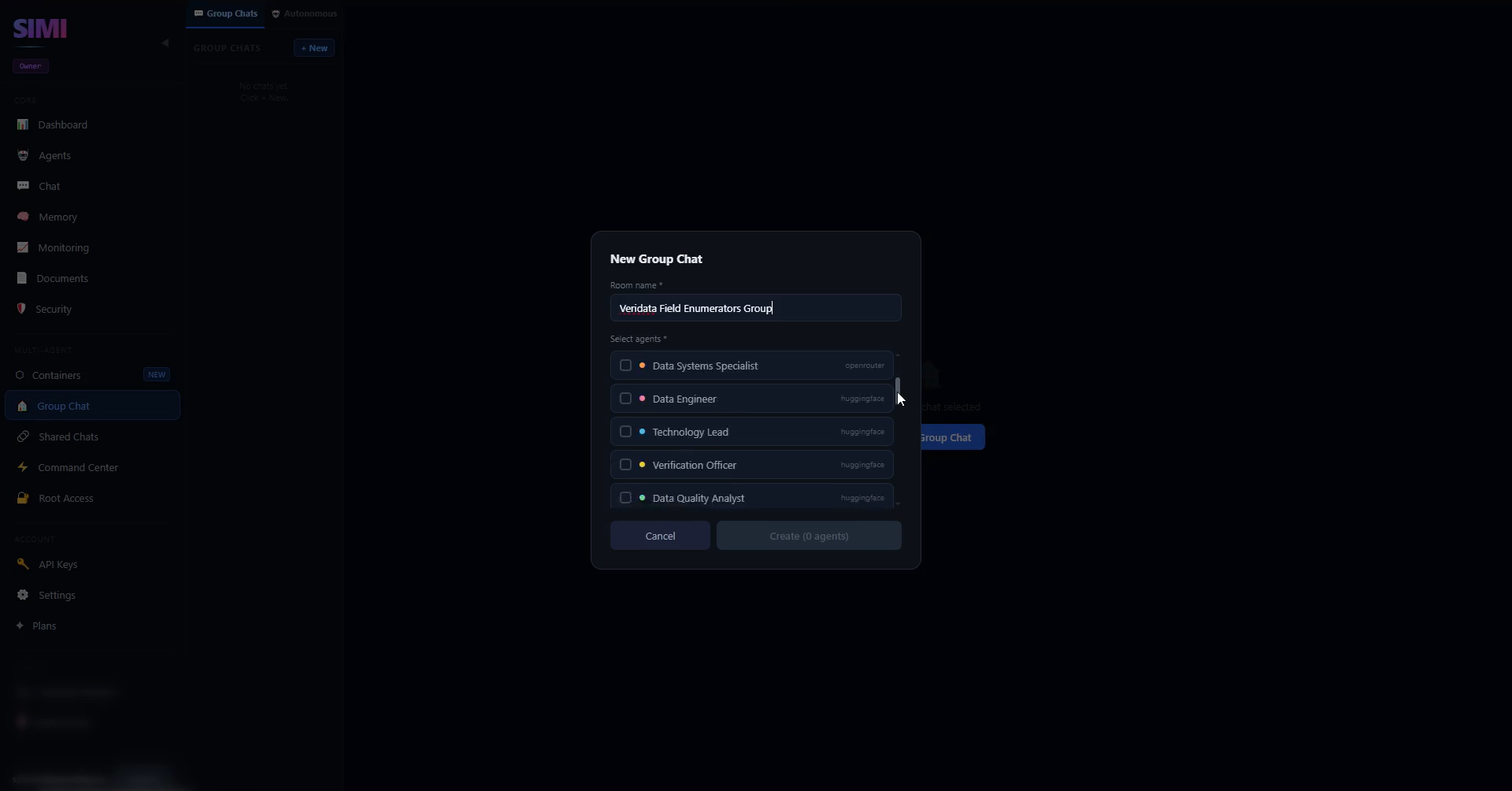
Naming the group and adding Field Enumerators 3, 4, and 5 in the New Group Chat dialog.
Asking Employees for Their Accomplishments
We ask the three agents to provide their key accomplishments and completed tasks.
Each employee responds with a summary of its work.
The objective is to get a clear picture of what each employee has accomplished.
Reviewing the Group Responses
As shown in the responses, the three agents provide well-detailed summaries of their key accomplishments and completed tasks.
Each employee presents its work clearly.
This allows us to understand the progress each employee has made, the responsibilities handled, and the contributions made toward Veridata's overall objectives.
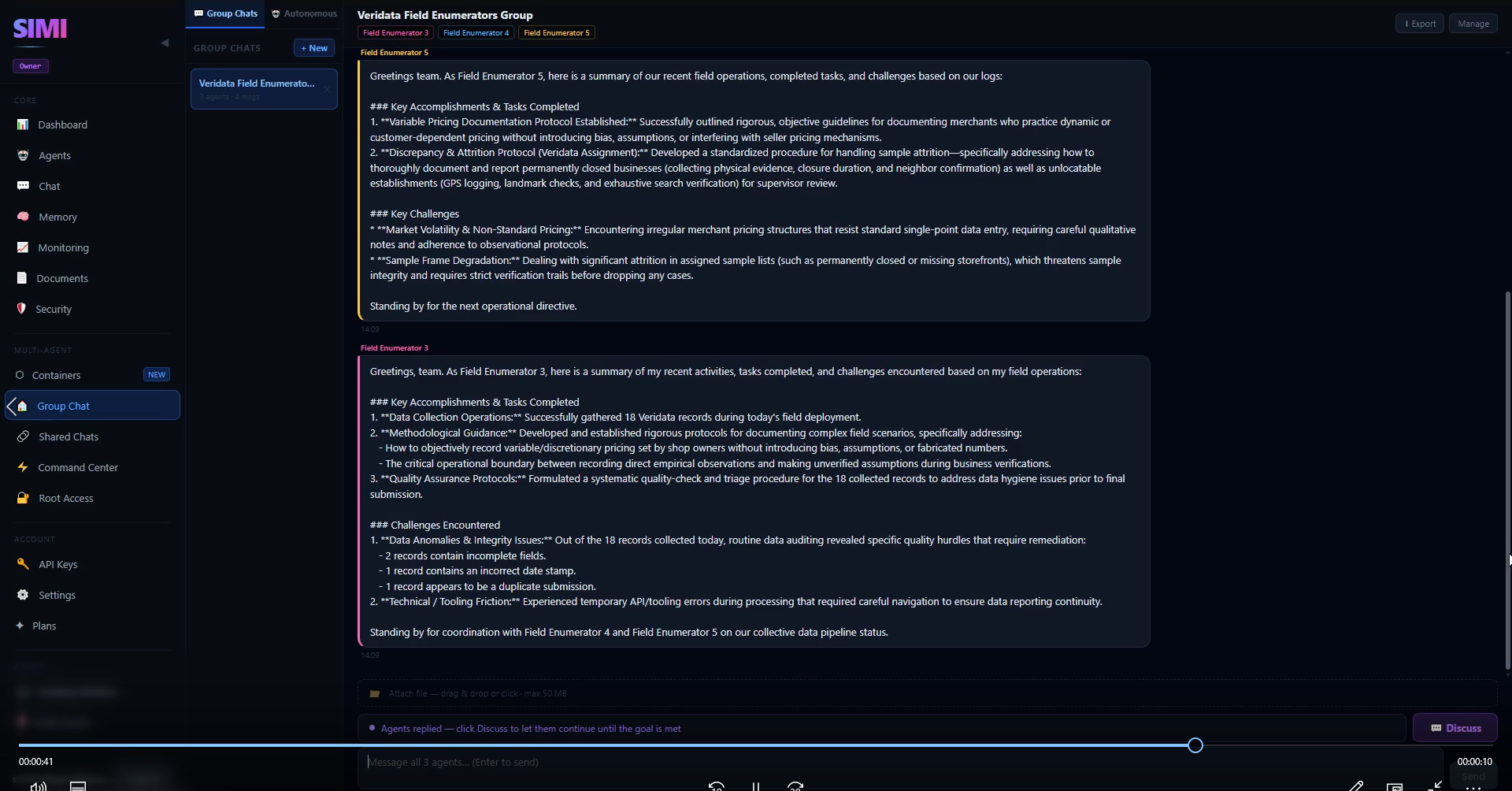
Field Enumerators 3 and 5 sharing detailed summaries of their key accomplishments in the group chat.
Why Group Meetings Can Be Useful
When multiple employees work individually, their progress can be spread across separate conversations.
A group meeting creates a common environment for presenting that work.
Employees can provide summaries instead of requiring someone to manually inspect every individual conversation.
AI Employee Progress Reporting
A group meeting can also be used as a progress-reporting workflow.
Employees can explain what has been completed and what they have contributed.
For Veridata, this gives us a clearer view of the work performed by Field Enumerators 3, 4, and 5.
Applying the Concept to Other AI Teams
The same approach could be applied to different employee groups.
Research employees could present research findings.
Sales employees could present business development work.
Operations employees could provide operational updates.
Managers could summarize completed projects.
The exact workflow depends on how the AI company is organized.
Building a More Structured AI Company
A company becomes easier to organize when employees have clear responsibilities and a way to report their progress.
The Veridata Field Enumerator Group demonstrates how AI employees can be brought together for this purpose.
Conclusion
Part 7 shows how to create an AI employee group meeting inside SIMI.
We create the Veridata Field Enumerator Group, add Field Enumerators 3, 4, and 5, and ask them to provide their key accomplishments and completed tasks.
Their detailed responses give us a clear overview of their contributions and progress.
Build Your Own AI Company with SIMI
Create personalized AI employees, assign their roles, and start building your own AI-powered company inside SIMI.
Explore SIMI